

Gigabyte X670E AORUS Master
The Gigabyte X670E AORUS Master stands out as one of the most powerful motherboards available for enthusiasts and overclockers. It features an exceptional VRM design that ensures stable power delivery even under heavy loads, making it ideal for high-performance CPUs. The motherboard also comes with robust cooling solutions, including advanced heatsinks and thermal pads, which help maintain optimal temperatures during intense gaming or content creation sessions.
Pros: Exceptional VRM design, robust cooling, extensive storage options, and a wide array of USB ports.
Cons: The high price may be a consideration for budget-conscious buyers.
Features: The motherboard boasts a 16+2+2 phase VRM configuration, 4x DIMM slots supporting up to 128GB of DDR5 memory, multiple PCIe 5.0 and PCIe 4.0 slots for GPUs and expansion cards, and extensive connectivity options, including 2.5 GbE LAN and Wi-Fi 6E.
Best For: Users seeking top-tier performance and overclocking capabilities, as well as those building a high-end gaming or professional workstation.
Read more: Do Motherboards Come With Standoffs – Discover Now In 2025
ASRock X670E Taichi
ASRock’s X670E Taichi offers a feature-rich experience for gamers and content creators who require reliable and powerful hardware. Its 24+2+1 phase VRM ensures exceptional power delivery, supporting high-end processors with stability even during intensive tasks.
Pros: Powerful VRM setup, PCIe 5.0 GPU and SSD support, DDR5 memory compatibility up to 6400MHz.
Cons: May be challenging to fit in smaller PC cases due to its size and component layout.
Features: High-speed USB4 ports, advanced VRM cooling, and support for multiple high-speed storage devices make this motherboard ideal for both gaming and creative workloads.
Best For: Users needing a dependable motherboard with extensive connectivity options and high performance for gaming, streaming, or content creation.
ASUS ProArt X670E-Creator WiFi
Designed for professionals, the ASUS ProArt X670E-Creator WiFi prioritizes high-speed connectivity and multi-device compatibility. It includes dual LAN ports (10G + 2.5G) and USB 4.0 support for ultra-fast data transfer, making it a go-to option for content creators and engineers.
Pros: Dual LAN setup, USB 4.0 ports, excellent VRM design.
Cons: Premium price and potential thermal challenges when using multiple GPUs simultaneously.
Features: The motherboard features a 16+2 phase VRM with 70A power stages, multiple PCIe 5.0 M.2 slots for ultra-fast storage, and Wi-Fi 6E for stable wireless connections.
Best For: Professionals requiring high-speed connectivity, extensive storage options, and reliable performance under heavy workloads.
Mid-Range Motherboards
MSI MAG X670E Tomahawk WiFi Gaming
The MSI MAG X670E Tomahawk WiFi Gaming motherboard strikes an excellent balance between performance and affordability. It is equipped with a strong power delivery system that ensures reliable operation under gaming and multitasking loads, making it a solid choice for enthusiasts.
Pros: Offers good value while maintaining high performance, robust power delivery system.
Cons: No major drawbacks within its price segment.
Features: 14+2+1 phase VRM for stable power, multiple M.2 slots for high-speed storage, and integrated Wi-Fi 6E for wireless connectivity.
Best For: Gamers and PC enthusiasts seeking dependable performance without spending excessively.
ASUS TUF Gaming B650-PLUS WiFi
The ASUS TUF Gaming B650-PLUS WiFi is an ideal option for budget-conscious gamers who do not want to compromise on quality. Known for its solid build and reliable performance, it supports moderate overclocking while providing efficient cooling.
Pros: Excellent value for the price, sturdy build quality, good overclocking potential.
Cons: Feature set is less extensive compared to higher-end models.
Features: 12+2 phase VRM, dual M.2 slots for SSDs, and effective cooling solutions for consistent performance.
Best For: Gamers looking for strong, reliable performance at a reasonable price point, especially in mid-range builds.
Budget Motherboards
Gigabyte X670 AORUS Elite AX
The Gigabyte X670 AORUS Elite AX is a strong contender for users looking to build a cost-effective PC without sacrificing essential performance. This motherboard balances affordability with reliable features, making it suitable for gamers, content creators on a budget, or general PC enthusiasts.
Pros: Offers an affordable price point, decent connectivity options, and respectable storage support.
Cons: Basic VRM cooling may limit overclocking potential, and RGB lighting options are minimal for those seeking visual customization.
Features: It features a 16+2+2 phase VRM, 4x DIMM slots supporting high-speed DDR5 memory, and PCIe 5.0 support for one M.2 slot. In addition, the motherboard provides numerous USB ports, ensuring connectivity for a wide range of peripherals.
Best For: Users aiming to build a budget-friendly system while still enjoying modern features like DDR5 memory support and PCIe 5.0 storage, without significant compromises in performance or expandability.
ASRock B650E Steel Legend
The ASRock B650E Steel Legend is designed for users seeking a mid-range motherboard that offers advanced features at a lower cost. It provides strong build quality and reliable performance, making it an attractive option for gamers, streamers, and general PC builders who want next-generation features without overspending.
Pros: Supports PCIe 5.0 for future-proofing, features a solid VRM design, and offers excellent value for its price.
Cons: Realtek Ethernet may not perform as reliably as Intel network controllers in certain scenarios.
Features: Equipped with a 16+2+1 phase VRM, multiple M.2 slots for high-speed storage devices, and a durable motherboard design, the B650E Steel Legend ensures long-term stability and versatility.
Best For: Users looking for a mid-range motherboard that balances affordability with advanced features such as PCIe 5.0 support, multiple M.2 storage slots, and robust VRM architecture, ideal for building a dependable and future-ready system.
Mini-ITX Motherboards
ASRock B650E PG-ITX WiFi
The ASRock B650E PG-ITX WiFi is an excellent choice for users aiming to build a compact PC without compromising on performance or connectivity. Its small form factor makes it perfect for mini-ITX cases, home theater PCs, or portable gaming systems, while still offering robust features typically found in larger motherboards.
Pros: Compact design for small builds, solid power delivery for stable operation, active M.2 cooling to maintain optimal SSD temperatures.
Cons: The M.2 cooling fan can be relatively loud, and the design is fairly understated for users seeking visual flair.
Features: This motherboard includes a 10+2+1 phase VRM for reliable power management, dual M.2 slots for high-speed SSD storage, integrated Wi-Fi 6E for fast wireless connectivity, and numerous USB ports for peripherals and accessories.
Best For: Small form factor builds that require reliable performance, high-speed storage, and strong connectivity options without sacrificing space or functionality.
Overclocking Champion
ASRock X670E Taichi
The ASRock X670E Taichi is designed for enthusiasts and overclockers who demand the highest performance and stability from their systems. Its top-tier VRM design and support for high-speed DDR5 memory make it one of the best choices for pushing CPUs and GPUs to their limits.
Pros: Exceptional VRM design that supports aggressive overclocking, high overclocking potential, full DDR5 memory compatibility.
Cons: Premium price and large motherboard size, which may not fit in all cases.
Features: This motherboard features a 24+2+1 phase VRM for ultimate power delivery, multiple high-speed USB ports, PCIe 5.0 slots for next-generation GPUs and storage devices, and comprehensive cooling solutions to maintain system stability under extreme loads.
Best For: Enthusiasts and overclockers looking to achieve peak system performance, whether for gaming, content creation, or specialized computing workloads, with a motherboard built to handle demanding setups.
Special Mentions
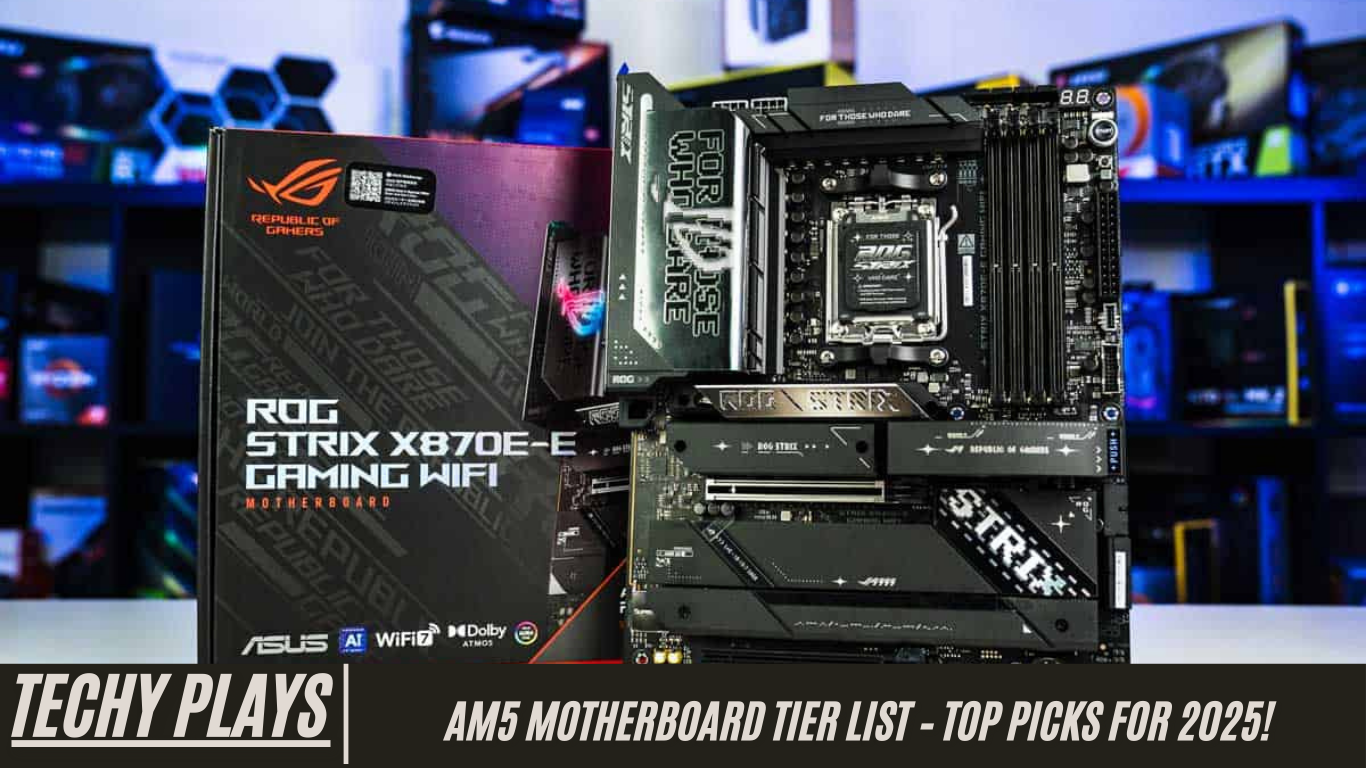
ASUS ROG Strix X670E-E Gaming WiFi
The ASUS ROG Strix X670E-E Gaming WiFi is a premium motherboard tailored for gamers who want both high performance and a visually appealing design. It combines top-notch power delivery with a rich feature set, ensuring stable performance even under intense workloads or extended gaming sessions.
Pros: Exceptional power delivery system, extensive features for gaming and productivity, and a stylish, modern design that complements high-end builds.
Cons: The price is on the higher side, and some users may prefer even more customizable RGB options.
Features: Equipped with an 18+2 stage VRM, multiple PCIe 5.0 slots for the latest GPUs and storage devices, and high-speed connectivity options including USB 4.0 and Wi-Fi 6E.
Best For: Gamers and enthusiasts looking for a high-performance motherboard that delivers both functionality and style, making it ideal for premium gaming rigs or content creation setups.
MSI MPG X670E Carbon WiFi
The MSI MPG X670E Carbon WiFi provides a strong balance of features and affordability, making it an attractive choice for users who want a reliable, high-performance motherboard without overspending. Its robust build quality and versatile feature set make it suitable for a wide range of gaming and workstation setups.
Pros: Solid build quality, comprehensive feature set for its price, and reliable performance.
Cons: Certain advanced features available on competitor models are missing, which may limit extreme customization or overclocking options.
Features: This motherboard includes an 18+2 phase VRM, multiple M.2 slots for high-speed storage, Wi-Fi 6E connectivity, and multiple USB ports for peripheral devices.
Best For: Users seeking a motherboard that balances performance, features, and price, making it ideal for mid-to-high-end gaming or productivity systems without stretching the budget.
Choosing the Right Motherboard
Selecting the right AM5 motherboard requires careful consideration of several key factors to ensure that your system meets both performance and functional needs.
Purpose:
Determine the primary use of your build. Are you constructing a gaming PC, a professional workstation, or a budget-friendly home computer? Different purposes require different feature sets and power delivery systems.
Budget:
Identify how much you are willing to invest in your motherboard. High-end boards provide advanced features and future-proofing, while mid-range and budget options can deliver excellent performance at a lower cost.
Features:
Consider the features that matter most for your setup. Do you need PCIe 5.0 support for next-generation GPUs and SSDs, multiple M.2 slots for high-speed storage, high-speed USB ports for peripherals, or robust VRM architecture for overclocking?
Size:
Verify that the motherboard form factor (ATX, Micro-ATX, or Mini-ITX) fits your PC case. Smaller form factors are ideal for compact builds, while larger ATX boards provide more expansion options.
By evaluating these factors carefully, you can choose a motherboard that not only fits your current needs but also provides longevity and future-proofing for upgrades. A well-selected AM5 motherboard ensures optimal performance, stability, and compatibility across all components in your build.
Frequently Asked Questions(FAQs)
What is the AM5 socket?
The AM5 socket is AMD’s latest CPU socket, specifically designed for the Ryzen 7000 series processors. It introduces support for DDR5 memory and PCIe 5.0, offering a significant performance improvement over the older AM4 socket. With AM5, users benefit from faster data transfer speeds, improved power delivery, and enhanced system efficiency, making it an excellent choice for gaming, content creation, and professional workloads.
Can I use my AM4 CPU with an AM5 motherboard?
No, AM4 CPUs are not compatible with AM5 motherboards. The AM5 socket is exclusively built for the Ryzen 7000 series and requires DDR5 memory, which is not supported by AM4 processors. Therefore, upgrading to an AM5 motherboard is necessary if you plan to utilize the latest Ryzen CPUs and take advantage of next-generation features.
What are the benefits of PCIe 5.0?
PCIe 5.0 provides double the data transfer rate of PCIe 4.0, allowing faster communication between the CPU, GPU, SSDs, and other connected devices. This results in improved overall system performance, reduced latency, and better efficiency in data-intensive tasks like high-resolution gaming, 3D rendering, and large-scale file transfers. For future-proof builds, PCIe 5.0 ensures compatibility with next-generation components.
Do all AM5 motherboards support DDR5 memory?
Yes, all AM5 motherboards support DDR5 memory, which delivers higher bandwidth, lower latency, and better power efficiency compared to DDR4. DDR5 memory enhances overall system performance, improves multitasking, and provides a future-proof foundation for gaming and professional workloads that demand high-speed memory access.
Which AM5 motherboard is best for overclocking?
The ASRock X670E Taichi stands out as one of the best AM5 motherboards for overclocking. Its 24+2+1 phase VRM, high-quality power delivery system, and robust cooling solutions allow users to push their Ryzen 7000 series CPUs to maximum performance safely. This motherboard is ideal for enthusiasts who want to extract every bit of power from their CPU while maintaining system stability.
Are AM5 motherboards backward compatible with older GPUs and peripherals?
Yes, AM5 motherboards are backward compatible with older GPUs and peripherals that use PCIe 4.0 or earlier standards. While you can use older components, to fully leverage the high-speed capabilities of AM5 boards, it is recommended to pair them with PCIe 5.0 compatible GPUs and SSDs. This ensures maximum performance and future-proofing for your system.
What is the difference between X670E and B650E chipsets?
The X670E chipset is designed for high-end motherboards and offers more PCIe 5.0 lanes, better VRM support, and additional advanced features. In contrast, the B650E chipset targets mid-range and budget-friendly options, providing sufficient PCIe 5.0 support and essential features for most users without the premium cost. Choosing between X670E and B650E depends on your performance requirements and budget constraints.
Do AM5 motherboards support Wi-Fi 6E?
Many AM5 motherboards come with built-in Wi-Fi 6E, offering faster, more reliable, and low-latency wireless connectivity. Models such as the ASUS ProArt X670E-Creator WiFi and MSI MAG X670E Tomahawk WiFi Gaming exemplify this feature, making them ideal for gamers, streamers, and professionals who require stable high-speed internet connections.
What form factors are available for AM5 motherboards?
AM5 motherboards are available in multiple form factors, including ATX, Micro-ATX, and Mini-ITX. This variety allows users to choose a motherboard that fits their case and build requirements, whether it’s a spacious high-end gaming rig, a compact mini-ITX setup for portability, or a versatile mid-sized system.
Is it worth upgrading to an AM5 motherboard?
Upgrading to an AM5 motherboard is highly worthwhile if you plan to use Ryzen 7000 series CPUs and want to benefit from DDR5 memory and PCIe 5.0 support. This upgrade can significantly enhance overall system performance, improve multitasking efficiency, and provide future-proofing for next-generation gaming, content creation, and productivity tasks.
Conclusion
The AM5 motherboard market offers a wide range of options catering to different budgets and requirements. Whether you are looking for a high-end board for extreme performance, a mid-range option for balanced features, or a budget-friendly motherboard for cost-effective builds, there is a suitable choice available. Reliable sources such as Tech4Gamers, Silent PC Review, Appuals, Tom’s Hardware, and CGDirector provide up-to-date pricing and detailed specifications to help you make an informed decision.
