

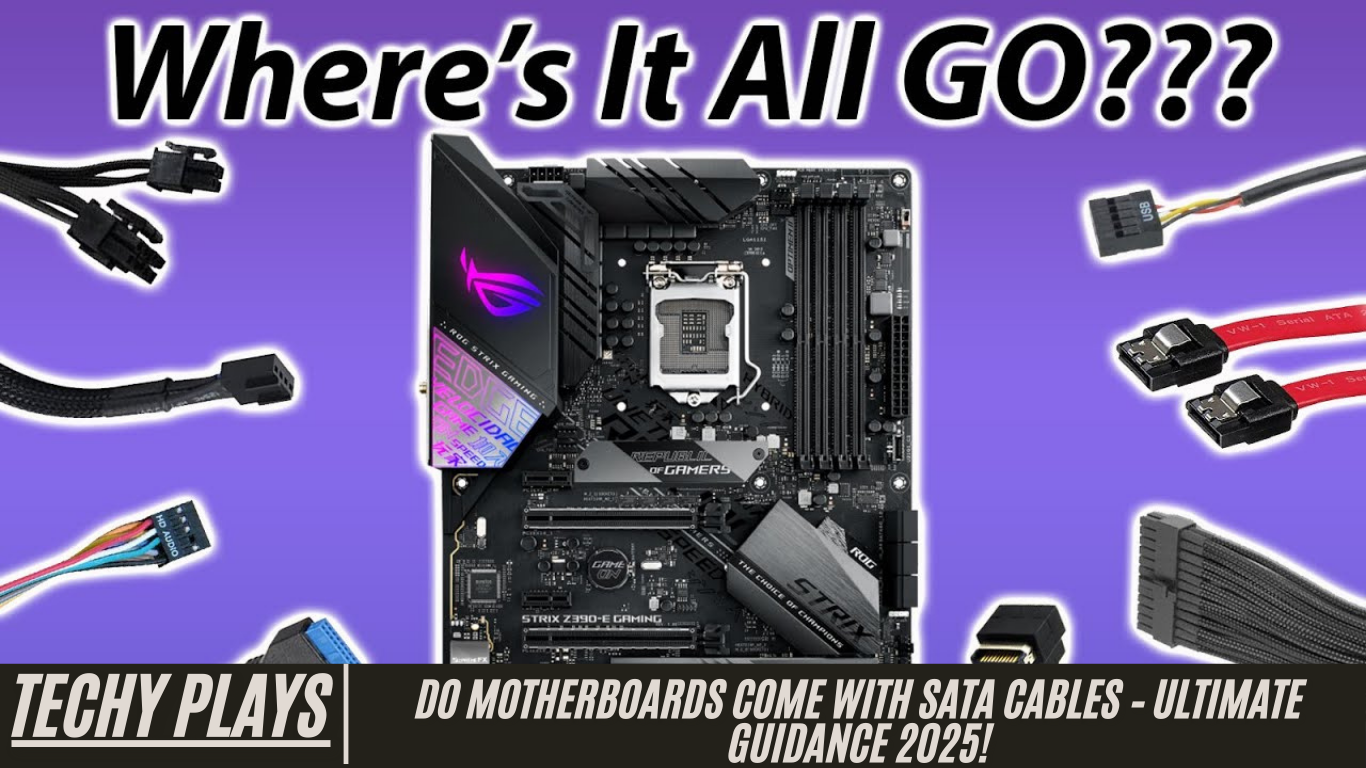
What Are SATA Cables?
SATA cables, short for Serial ATA cables, are essential components in modern computers that enable connectivity between storage devices and the motherboard. These cables play a crucial role in ensuring smooth data transfer between devices such as hard disk drives (HDDs) and solid-state drives (SSDs) and the motherboard. By providing a reliable pathway for data signals, SATA cables allow your computer to read, write, and access data efficiently. They are widely used in desktops, laptops, and servers due to their simplicity, performance, and compatibility with a variety of storage devices.
In addition to facilitating data transfer, SATA cables also support hot-swapping, which allows you to connect or disconnect drives without shutting down the system, making them ideal for flexible storage upgrades and maintenance. Understanding SATA cables and their functionality is crucial for anyone looking to build, upgrade, or maintain a computer system.
Read more: AM5 Motherboard Tier List – Top Picks For 2025!
Types of SATA Cables
SATA cables are primarily divided into two types, each serving a distinct purpose in the system:
SATA Data Cables:
These cables are responsible for transferring data between the storage device and the motherboard. They are typically thin, flexible, and designed for high-speed data transmission. Depending on the SATA version (SATA I, II, or III), they can support transfer speeds ranging from 1.5 Gbps up to 6 Gbps, ensuring fast and efficient communication between your drives and the computer system.
SATA Power Cables:
Unlike data cables, SATA power cables connect the storage device to the computer’s power supply unit (PSU). These cables provide the necessary electrical power to operate the drives. Modern power cables often include multiple connectors, allowing users to power several devices simultaneously without the need for additional adapters. Both types of SATA cables are essential for a fully functional storage system.
Factors Influencing Inclusion of SATA Cables
When purchasing a motherboard, the inclusion of SATA cables can vary based on several factors. Understanding these factors helps consumers know what to expect in the motherboard package.
Price Range of Motherboards
The cost of a motherboard often determines whether SATA cables are included in the box. High-end motherboards usually come with multiple SATA cables as part of the package, allowing users to connect several storage devices immediately. Budget or entry-level motherboards may exclude these cables to reduce production costs, requiring users to purchase them separately.
Brand Policies
Different motherboard manufacturers follow different packaging policies. Some brands consistently include SATA cables and other essential accessories with every motherboard, while others may limit the included accessories depending on the product line. Familiarity with a brand’s policy can help buyers avoid surprises when unboxing their motherboard.
Retail vs. OEM Packaging
The type of motherboard packaging also plays a significant role in determining whether SATA cables are included. Retail or boxed versions of motherboards typically come with additional accessories such as SATA cables, manuals, and driver CDs to provide a complete out-of-the-box experience. In contrast, OEM versions, which are often sold to system builders, usually come with minimal packaging and may exclude accessories like SATA cables.
How Many SATA Cables Typically Come with a Motherboard?
Most modern motherboards include between two to four SATA cables in their packaging. This number is generally sufficient for standard setups with a few storage devices such as hard drives or solid-state drives. High-end or enthusiast-grade motherboards, especially those designed to support multiple storage devices or RAID configurations, often include additional SATA cables to accommodate expanded storage needs.
It is important to note that the exact number of included SATA cables can vary depending on the motherboard’s brand, model, and packaging type. Therefore, checking the product specifications before purchase is recommended to ensure you have the required number of cables for your setup. This helps avoid additional purchases and ensures a smooth installation process for your storage devices.
Storage Devices That Need SATA Cables
SATA cables are essential for connecting a variety of storage devices to your motherboard. These devices include:
1. HDD/Hard Disk Drives
Hard Disk Drives (HDDs) are one of the most common types of storage devices in computers. They store data magnetically on spinning disks and rely on SATA cables for efficient data transfer to and from the motherboard. HDDs remain popular due to their high storage capacity at a relatively low cost, making them suitable for mass storage needs.
2. Optical Drives/CD Drives/DVD Drives
Optical drives, including CD and DVD drives, also utilize SATA cables to connect to the motherboard. These drives read and write data to optical discs and depend on reliable SATA connections for smooth operation. Although less common in modern setups due to the rise of digital media, optical drives still play a role in legacy systems and specific use cases like media archiving or software installation from discs.
3. SATA SSD/SATA Solid State Drives
SATA SSDs, or Solid State Drives, represent a faster, more efficient alternative to traditional HDDs. They store data using flash memory, which allows for quicker read and write speeds. Like HDDs, SATA SSDs require SATA cables to connect to the motherboard for data transfer. Because of their high performance and durability, SATA SSDs are commonly used in modern desktops and laptops for both operating system installation and data storage.
Alternative Data Transfer Cables
While SATA cables are widely used, other types of data transfer cables exist to meet different storage needs and performance requirements:
NVMe Cables:
NVMe (Non-Volatile Memory Express) cables are specifically designed for high-speed data transfer between NVMe SSDs and the motherboard. These cables support significantly faster speeds compared to SATA, making them ideal for gaming, video editing, and other data-intensive tasks.
USB Cables:
USB cables are a versatile option for connecting external storage devices. They offer broad compatibility across devices, allowing users to expand storage or transfer data without opening the computer case. USB connections are essential for external drives, flash drives, and portable SSDs, providing flexibility in data management.
Do Components Usually Include Necessary Cables?
Yes, many computer components, such as motherboards and power supply units (PSUs), generally include the necessary cables required for installation. For instance, motherboards often come with SATA cables to connect storage devices, while PSUs provide power cables for drives and other components. Including these cables ensures that users can assemble their systems without needing to purchase additional accessories separately.
However, it is important to carefully review the product specifications before buying. Some budget motherboards or storage devices may not include cables, while higher-end models typically provide multiple SATA and power cables. Checking the product details beforehand ensures that you have all the cables needed for a smooth and efficient build, avoiding any last-minute surprises.
Does This Motherboard Come with SATA Cables?
Whether a motherboard comes with SATA cables depends on the specific model and the manufacturer’s packaging policies. Some motherboards include SATA cables as part of the package to support immediate connectivity for HDDs and SSDs. Other models, particularly entry-level or OEM versions, might not include them to reduce manufacturing costs.
To confirm if SATA cables are included, it is recommended to check the product specifications on the manufacturer’s website or contact the seller directly. This ensures that you know exactly what comes with your motherboard and can plan your build accordingly.
Do I Need to Buy a SATA Cable for My Build? If Not, What Part Comes with It?
Whether you need to buy a SATA cable for your computer build largely depends on the components you purchase. Many motherboards and some storage devices come with at least one or two SATA cables included. If your motherboard or storage device provides these cables, you may not need to purchase additional ones.
However, if your system requires multiple drives or your motherboard does not include sufficient cables, you will need to buy extra SATA cables separately. Always review the specifications of both your motherboard and storage devices to ensure that you have the appropriate number of cables for your build.
Does SATA Cables and Stuff Come with the PSU?
Typically, SATA cables do not come with a power supply unit (PSU). While PSUs provide power cables necessary for powering components such as HDDs, SSDs, and optical drives, they usually do not include the data transfer SATA cables required to connect storage devices to the motherboard.
In some cases, modular or semi-modular PSUs may include SATA power connectors, which allow you to connect your drives to the PSU, but the motherboard connection still requires separate SATA data cables. Therefore, the data transfer cables are generally provided with motherboards or purchased separately.
Do Motherboards Come Included with SATA Cables
Yes, some motherboards do include SATA cables in their packaging, but this largely depends on the specific motherboard model and the manufacturer’s policies. Higher-end motherboards often provide multiple SATA cables to support several storage devices, while budget or entry-level models may include fewer or none at all. To avoid surprises, it is always important to check the product specifications or the packaging details before purchasing a motherboard. This ensures that you know whether you need to buy additional SATA cables separately for your storage setup.
Do SATA Cables Come with Motherboard?
SATA cables sometimes come with motherboards, but their inclusion is not guaranteed. The number and type of cables provided can vary depending on the manufacturer and the motherboard series. Checking the product description or packaging information is the most reliable way to confirm whether SATA data cables are included. Being aware of this helps you plan your PC build efficiently and ensures that all your storage devices can be connected properly.
My PC Came with SATA Cables – Do I Have to Plug Them In?
Yes, if your PC or motherboard comes with SATA cables, it is necessary to plug them in to connect storage devices such as hard drives (HDDs) or solid-state drives (SSDs) to the motherboard. These connections enable data transfer between the storage devices and the computer, allowing your system to read, write, and access files effectively. Without connecting the SATA cables, the storage devices will not communicate with the motherboard, making them unusable for your system.
Do Gigabyte Motherboards Come with SATA Cables?
Whether Gigabyte motherboards include SATA cables depends on the specific model and its packaging. Some Gigabyte motherboards come with one or more SATA cables, especially models designed for users with multiple storage devices, while others may not include any to reduce costs. To confirm, always check the product specifications or packaging details provided by Gigabyte or the retailer before making a purchase.
PC Build: What Do I Do with the SATA Cable Coming from the Case?
The SATA cable coming from the PC case is typically used to connect front-panel features, such as USB ports, card readers, or media hubs, to the motherboard. To ensure proper functionality, refer to the motherboard manual and connect the cable to the appropriate SATA headers on the motherboard. This ensures that the case’s front-panel components are fully operational and can communicate effectively with the rest of your system.
Are Motherboards Compatible with Every SATA Cable?
In general, motherboards are compatible with most standard SATA cables. However, it is important to ensure that the cable type matches the requirement of your device—whether it is a SATA data cable or a SATA power cable. Additionally, consider the cable length and connector type to guarantee a secure connection and optimal data transfer speeds. Using the correct SATA cables helps maintain system stability and ensures that your storage devices perform at their best.
Will SATA Cables Come with Motherboard or PSU
SATA cables typically come included with motherboards rather than power supply units (PSUs). Motherboards often provide SATA data cables to connect storage devices such as hard drives (HDDs) and solid-state drives (SSDs) to the motherboard for data transfer. PSUs, on the other hand, generally include SATA power cables, which supply electrical power to storage devices but do not handle data transfer.
It is always important to check the product specifications or packaging details to confirm exactly what cables are included with your motherboard or PSU. This ensures that you have all the necessary connections for your PC build and can avoid purchasing additional cables unnecessarily.
Do All Motherboards or Cases Come with SATA Cables?
Not all motherboards or computer cases include SATA cables. Some motherboards come with one or more SATA cables, especially mid-range and high-end models designed to support multiple storage devices. Entry-level motherboards or OEM models may not include them to reduce costs. Similarly, cases usually do not include SATA cables, although some premium cases with integrated media hubs or card readers might provide them for convenience.
To avoid issues during installation, it is essential to review the product specifications or packaging information before purchasing a motherboard or case to confirm whether SATA cables are included.
Why Did My Motherboard Come with Different Kinds of SATA Cables?
Motherboards may come with different types of SATA cables to accommodate various storage configurations and connector placements. For example, some cables may be straight, while others are angled to fit tight spaces within the PC case. This variety ensures compatibility with a range of storage devices and allows users to plan their PC build efficiently without cable management issues. Including different types of SATA cables provides flexibility in connecting multiple drives and optimizing airflow inside the case.
Do I Need to Buy SATA Cables if My Motherboard Didn’t Come with Any?
Yes, if your motherboard does not include SATA cables, you will need to purchase them separately to connect your storage devices, such as HDDs, SSDs, or optical drives. When buying SATA cables, make sure to select the appropriate type (data or power), length, and quality to ensure reliable data transfer and optimal performance. Having the correct cables prevents connectivity issues and ensures that all storage devices function properly within your system.
Does It Come with a SATA Cable?
Whether a product comes with a SATA cable depends on the specific motherboard, storage device, or case you purchase. Some motherboards and storage devices include SATA cables in the package, while others do not. Always check the product description or packaging information to verify if SATA cables are included, so you can plan your build accordingly and avoid unexpected purchases.
Does This Motherboard Come with SATA Data Cables Included? Or Do I Have to Buy Some Separately?
Whether a motherboard comes with SATA data cables included varies by model and manufacturer. Many motherboards, especially mid-range and high-end options, provide at least one or two SATA data cables for immediate connectivity. Budget or OEM motherboards, however, may require you to buy SATA cables separately. Always refer to the product description or packaging to confirm the inclusion of SATA cables before completing your purchase. This ensures that your storage devices can be connected without delay and your PC build proceeds smoothly.
Is a SATA Cable Included in the Package?
Whether a SATA cable is included in the package depends on the specific product and manufacturer. It is always recommended to check the product description or packaging before purchasing to confirm if a SATA cable is provided. Some motherboards or storage devices include SATA cables to enable immediate connectivity, while others may require you to purchase them separately. Ensuring that a SATA cable is included can save time and effort during your PC build.
Does My PC Come with Built-in Data Cables?
Most modern PCs come with built-in data cables, including SATA cables, to facilitate connections between storage devices like hard drives (HDDs) or solid-state drives (SSDs) and the motherboard. These cables are either included with the motherboard or pre-installed in the PC case. Having these data cables built-in simplifies installation, ensures compatibility, and allows for easier management of internal components, particularly in compact or pre-assembled systems.
How Many SATA Cables Come with a Motherboard?
The number of SATA cables included with a motherboard can vary based on the manufacturer, model, and packaging. Typically, most motherboards come with two to four SATA cables to connect storage devices. Higher-end motherboards designed for multiple drives or RAID configurations may include additional cables to support extensive storage setups. Always refer to the product specifications to confirm the exact number of included cables before purchasing.
Do SATA Cables Come with Power Supply?
SATA cables generally do not come with power supply units (PSUs). However, some PSUs, particularly modular or semi-modular models, may include SATA power cables that provide electrical power to devices connected via SATA. These cables are not used for data transfer but are essential for powering hard drives, SSDs, and other SATA devices. It is important to differentiate between SATA data cables, which connect storage devices to the motherboard, and SATA power cables, which supply power from the PSU.
How Many SATA Cables Come with a Power Supply?
Power supplies usually do not include SATA data cables, as their primary function is to provide power to the system. Some PSUs may, however, provide SATA power cables, which can be used to power storage devices like HDDs and SSDs. When planning a PC build, it is important to verify whether your PSU includes these power cables and ensure you have the appropriate data cables from the motherboard or purchased separately.
Do SATA Cables Come with SSD?
SATA cables are not usually included with SSDs. Most SSDs are sold as standalone drives, without any additional cables. However, some SSD packages or starter kits may include a SATA data cable and, in some cases, mounting accessories. To avoid compatibility or installation issues, always check the product specifications or packaging before purchasing an SSD. Having the correct SATA cable ensures that the SSD can be properly connected to the motherboard for optimal performance and data transfer speeds.
Do Motherboards Come with Cables
Yes, motherboards typically come with a variety of essential cables to facilitate connections within your PC. The most common included cables are SATA cables, which are used to connect storage devices such as hard disk drives (HDDs) and solid-state drives (SSDs) to the motherboard for data transfer. In addition to SATA cables, some motherboards may also include other internal cables, such as front-panel connectors, USB headers, and additional peripheral cables, depending on the manufacturer and the motherboard model. These included cables help simplify the PC build process, ensuring that you have the necessary components to connect storage devices and peripherals without needing to purchase additional cables separately.
Which 2 Items Are Connected to the SATA Ports on the Motherboard?
The primary devices connected to the SATA ports on a motherboard are storage and optical drives. Specifically, hard disk drives (HDDs) and solid-state drives (SSDs) use SATA ports for fast and reliable data transfer to and from the motherboard. Optical drives, such as CD and DVD drives, also connect to SATA ports to read and write data on discs. By connecting these devices to the SATA ports, users can ensure that their storage and optical media function efficiently within the system, enabling smooth operation for tasks ranging from file storage to software installation.
Do Motherboards Come with All the Cables for Your PC? (I’m Building One Soon and Don’t Know Where to Get Cables or If They Are Already with Motherboard)
Most motherboards come with the essential cables required for a standard PC build, including SATA cables for connecting storage devices. These included cables are sufficient for most builds, allowing you to connect HDDs, SSDs, and optical drives directly to the motherboard. However, it is always recommended to check the product specifications or packaging to confirm exactly which cables are included. Some budget or OEM motherboards may not include all necessary cables, so verifying this beforehand ensures that you have everything you need for a smooth and efficient assembly of your PC.
Frequently Asked Questions(FAQs)
1. Do I Need More Than One SATA Cable?
Whether you need more than one SATA cable depends on the number of storage devices you plan to connect to your motherboard. Each storage device, such as a hard disk drive (HDD) or solid-state drive (SSD), requires its own SATA data cable to ensure proper communication with the motherboard. For systems with multiple drives, you’ll need multiple SATA cables. Planning the number of cables in advance helps streamline your PC build and prevents connectivity issues.
2. What Are the Two SATA Cables For?
The two main SATA cables typically included with a motherboard serve distinct functions. One is the SATA data cable, which connects storage devices like HDDs or SSDs to the motherboard to enable data transfer. The other is the SATA power cable, which provides electrical power to the storage device from the power supply unit (PSU). Both cables are essential for a fully functional storage setup in any PC build.
3. Which SATA Cable to Use for SSD?
To connect an SSD to your motherboard, you can use any standard SATA data cable. Ensure that the cable is compatible with the type of connection your motherboard supports and is long enough to reach the SSD comfortably within your PC case. Using a high-quality SATA cable helps maintain stable data transfer speeds and ensures the SSD operates efficiently.
4. What Is the Difference Between SATA 1, SATA 2, and SATA 3 Cables?
The primary difference between SATA 1, SATA 2, and SATA 3 cables lies in their data transfer speeds. SATA 1 supports speeds up to 1.5 Gbps, SATA 2 supports up to 3 Gbps, and SATA 3 supports up to 6 Gbps. Physically, all SATA cables look the same and are compatible across the different versions, but using a cable that supports the maximum speed of your drive and motherboard ensures optimal performance.
5. Do New Motherboards Have SATA?
Yes, most modern motherboards still include SATA ports to connect storage devices. Despite the rise of NVMe and PCIe-based storage solutions, SATA remains a widely used and reliable standard for connecting HDDs, SATA SSDs, and optical drives to motherboards. This ensures broad compatibility for both legacy and new storage devices.
6. Are SATA Cables the Same?
SATA cables are generally standardized and interchangeable across devices. However, it is important to use cables of appropriate length and quality to suit your PC build. Poor-quality or excessively long cables can lead to connectivity issues or reduced data transfer efficiency. Ensuring you have the right cables helps maintain system stability.
7. How to Connect SATA Hard Drive to Motherboard?
To connect a SATA hard drive to your motherboard, insert one end of the SATA data cable into an available SATA port on the motherboard and the other end into the corresponding port on the hard drive. Then, connect a SATA power cable from the PSU to the hard drive to supply power. Once both data and power cables are connected securely, the drive will be recognized by your system during boot-up.
8. What Cables Do You Need to Install a SATA SSD?
Installing a SATA SSD requires two cables: a SATA data cable to connect the SSD to the motherboard and a SATA power cable to supply power from the PSU. Make sure both cables are compatible with your SSD and motherboard, and ensure that the cables are properly routed to avoid interference with other components or airflow within the case.
9. Do All Motherboards Support SATA?
Most modern motherboards include SATA ports to connect storage devices such as HDDs, SATA SSDs, and optical drives. However, it is important to verify the specifications of your specific motherboard, as some compact or specialized boards may offer fewer SATA ports or focus more on NVMe/PCIe storage solutions. Checking this beforehand ensures you can connect all your desired storage devices without needing additional adapters.
10. How Many SATA Connectors Are on a Motherboard?
The number of SATA connectors on a motherboard varies depending on the manufacturer and model. Standard motherboards typically offer four to six SATA ports, but high-end or server-grade motherboards may provide more to support multiple storage devices and RAID configurations. Knowing the number of available SATA connectors helps you plan your storage setup efficiently.
Conclusion
In conclusion, SATA cables are essential for connecting storage devices like HDDs, SSDs, and optical drives to your motherboard in a PC build. While most motherboards include these cables, it is important to verify their presence in the package to ensure a smooth assembly process. Understanding the types of SATA cables, their data transfer speeds, and compatibility ensures that your storage devices operate efficiently and your PC build remains reliable and well-organized.
