

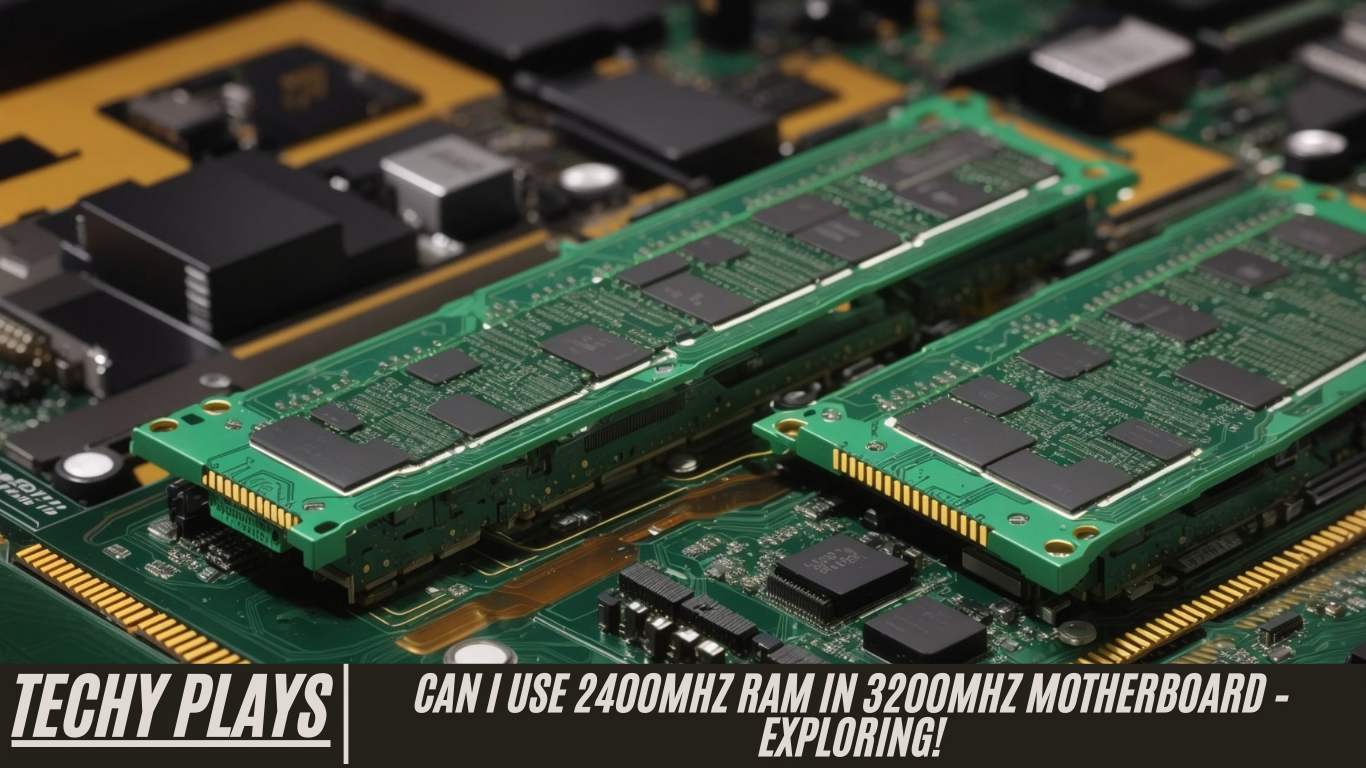
When upgrading or building a PC, ensuring compatibility between components is crucial for achieving optimal performance and stability. Every part of your system—from the CPU and GPU to RAM and storage—needs to work seamlessly together. Failing to match compatible components can lead to bottlenecks, reduced performance, or even system instability. One of the most common compatibility questions among PC builders involves RAM and motherboard speeds.
Yes, you can use slower RAM in a faster motherboard. Modern motherboards are designed to support a wide range of RAM speeds, and they will automatically adjust to accommodate the installed memory. For example, if your motherboard supports 3200MHz RAM but you install 2400MHz modules, the system will run the RAM at 2400MHz—the maximum speed supported by the RAM itself. While this means your memory will operate slower than the motherboard’s potential, it ensures stability and functionality without causing any damage. Essentially, the motherboard cannot make slower RAM run faster than its rated speed, but it will make sure the RAM runs as efficiently as possible within its limitations.
Understanding RAM and motherboard compatibility is essential, especially for those looking to maximize system performance. While faster RAM can improve performance in certain tasks like gaming, content creation, and multitasking, using slightly slower RAM is perfectly acceptable for general usage or budget-conscious builds. It’s also worth noting that mixing RAM speeds can lead to the system defaulting to the lowest speed module, so maintaining uniformity is recommended for optimal results.
In this article, we’ll delve into this topic in detail to provide clarity and guidance for users seeking to make informed decisions about their PC builds. We’ll cover key considerations, such as motherboard RAM limits, how RAM speed affects performance, and tips for selecting the right memory for your system. By understanding these factors, you can confidently build or upgrade your PC without worrying about compatibility issues, ensuring both reliability and peak performance.
Read more: Power Supply Not Turning On When Connected To Motherboard
Understanding RAM Speeds
RAM speed determines how quickly your computer can process data and handle tasks. Think of it as the speed at which your system’s memory can “think” and respond. RAM speed is measured in megahertz (MHz), and the higher the MHz, the faster your memory can communicate with the CPU. Faster RAM can improve overall system responsiveness, reduce loading times, and enhance performance in demanding applications such as gaming, video editing, and multitasking. However, it’s important to balance RAM speed with other components in your system to ensure optimal performance without unnecessary costs.
Motherboard Compatibility
Your motherboard acts as the central hub of your PC, controlling communication between all components. Compatibility with RAM is one of the key factors in building or upgrading a computer. A motherboard’s specifications dictate the maximum RAM speed and type it can support. While most modern motherboards can support a range of RAM speeds, installing memory that exceeds or falls below these specifications can affect system stability and performance. Therefore, understanding your motherboard’s supported RAM frequency and type is essential before making a purchase.
Performance Implications
If you install slower RAM in a motherboard capable of higher speeds, the memory will operate at its rated speed rather than the motherboard’s maximum. While this may reduce peak performance, for everyday tasks such as web browsing, streaming, or office work, the difference is usually negligible. However, for gaming, content creation, or applications that rely heavily on memory bandwidth, using RAM at lower speeds may slightly limit performance. Choosing RAM that aligns with your motherboard’s capabilities ensures you maximize efficiency and system potential.
Overclocking Considerations
Some users attempt to increase RAM performance beyond its rated specifications through overclocking. Overclocking can improve speed and responsiveness, but it comes with risks. Pushing RAM beyond its intended limits can cause system instability, crashes, or even hardware damage if not done carefully. Overclocking should be approached with caution, proper cooling, and an understanding of your motherboard’s BIOS settings.
Compatibility Issues
Using RAM with a lower speed than your motherboard supports generally works, but it can sometimes cause minor compatibility issues. These may include system crashes, unexpected reboots, or errors during heavy workloads. Ensuring that your RAM matches the motherboard’s specifications, or at least stays within a supported range, minimizes these risks.
BIOS Settings and Adjustments
The BIOS (Basic Input/Output System) controls hardware-level settings for your PC. Adjusting BIOS settings can sometimes help improve compatibility between slower RAM and faster motherboards. Features like XMP (Extreme Memory Profile) can optimize RAM performance, but not all motherboards or RAM modules support these adjustments. Users should be cautious when modifying BIOS settings, as incorrect configurations can lead to system instability.
Can I use 2400 MHz RAM with 3200 MHz RAM?
Yes, you can use 2400 MHz RAM in a motherboard rated for 3200 MHz. However, the RAM will operate at its maximum rated speed of 2400 MHz. Mixing RAM modules with different speeds can potentially cause instability or system issues, so it is generally recommended to use matching modules for best performance and reliability.
Can I use 2666 MHz RAM in a 3200 MHz motherboard?
Yes, 2666 MHz RAM is compatible with a motherboard rated for 3200 MHz. The motherboard will run the RAM at its rated speed of 2666 MHz without any issues. This flexibility allows users to upgrade gradually or use available memory without sacrificing system stability.
Can I use RAM with higher frequency than motherboard?
No, using RAM with a higher frequency than what your motherboard supports will not work at full speed. The motherboard sets the maximum limit for RAM frequency, so installing faster RAM will simply result in the memory operating at the motherboard’s top supported speed.
Can I use 3000 MHz RAM in a 2400 MHz motherboard?
Yes, 3000 MHz RAM can be installed in a motherboard with a maximum speed of 2400 MHz. The RAM will function properly but will be limited to 2400 MHz, preventing it from reaching its full potential. While this ensures compatibility, users should be aware that the RAM’s higher frequency advantages will not be utilized in this setup.
Can I Replace DDR4 2400MHz RAM with a DDR4 3200MHz RAM?
Yes, you can replace DDR4 2400MHz RAM with DDR4 3200MHz RAM as long as your motherboard supports the higher speed. When installed, the 3200MHz RAM will work, but it may only operate at the maximum speed your motherboard allows. For example, if your motherboard’s top supported speed is 2400MHz, the RAM will automatically adjust to that speed. This ensures compatibility and stability while still allowing for potential future upgrades if you later move the RAM to a motherboard that supports higher speeds.
Can I Use 3200MHz RAM in a 2400MHz Laptop?
No, you cannot use 3200MHz RAM in a laptop that only supports 2400MHz. Laptops have strict limitations on RAM specifications, including speed, voltage, and form factor. Even if the RAM physically fits into the slot, the system may fail to boot or recognize the memory, making it incompatible. Laptop users should always check the manufacturer’s specifications before upgrading RAM.
Understanding RAM Speeds: Can I Use 3200MHz RAM in 2400MHz Motherboard?
RAM speed determines how quickly your computer can process tasks. If your motherboard only supports 2400MHz RAM, installing faster RAM like 3200MHz will not increase your system’s speed. The motherboard will simply run the RAM at the maximum supported speed of 2400MHz. It’s similar to trying to perform an advanced task without mastering the basics first—the system cannot exceed the limitations set by the motherboard.
Can I Use 3200MHz RAM in 2133MHz Motherboard?
No, 3200MHz RAM cannot be fully utilized in a motherboard rated for 2133MHz. The motherboard defines the maximum speed at which RAM can operate. Installing faster RAM will not provide the expected performance boost and may lead to instability or failure to boot. Essentially, the system cannot bypass the motherboard’s designed speed limits.
Can I Use 2666MHz RAM in 2400MHz Motherboard?
Yes, you can use 2666MHz RAM in a motherboard that supports 2400MHz. The motherboard will run the RAM at its maximum supported speed of 2400MHz. This backward compatibility allows users to install slightly faster RAM without any issues, although the memory will not operate at its full potential speed.
Can I Install 2666MHz RAM in 3200MHz Motherboard?
Yes, 2666MHz RAM can also be installed in a motherboard rated for 3200MHz. Modern motherboards are generally backward compatible with lower-speed RAM modules. While the RAM will function correctly, it will run at its rated speed of 2666MHz instead of the motherboard’s maximum supported speed of 3200MHz. This ensures system stability and flexibility for different types of RAM modules.
Can I Use 3200MHz RAM in 2666MHz Motherboard Laptop?
No, using 3200MHz RAM in a laptop with a 2666MHz motherboard is not possible. Laptops have specific rules regarding memory compatibility, including speed limitations. Even if the RAM physically fits into the slot, the system may not support it, potentially causing errors or preventing the laptop from booting. Always refer to your laptop’s specifications when upgrading memory.
3200MHz RAM on a 2400MHz Rated Motherboard
Installing 3200MHz RAM on a motherboard rated for 2400MHz may work, but the RAM will operate at the lower 2400MHz speed. The motherboard determines the maximum RAM speed, so faster memory will not reach its full potential. This configuration is compatible but will not provide the additional performance benefits of the higher-frequency RAM.
Can I Install RAM that Has Lower Frequency than What is Specified in the Processor System Memory Specification?
Yes, you can install RAM with a lower frequency than specified in your processor’s system memory specification. The processor sets the maximum supported RAM speed, but using lower-frequency RAM is still compatible. While the system may not perform at peak potential, it will remain stable, allowing users to save costs or upgrade gradually in the future.
3200MHz RAM Only Reads at 2400MHz?
If your 3200MHz RAM is only running at 2400MHz, the most likely reason is that your motherboard does not support the higher speed. Motherboards set the maximum limit for RAM frequency, and any memory installed will default to the highest speed the motherboard allows. To confirm, check your motherboard’s specifications to see the maximum supported RAM speed. This ensures compatibility and prevents potential instability.
Can I Run 2400MHz RAM on a Motherboard That Has 3200MHz as Standard?
Yes, you can run 2400MHz RAM on a motherboard rated for 3200MHz. Most modern motherboards are backward compatible, meaning they can operate lower-speed RAM without issues. However, the RAM will function at its own rated speed of 2400MHz, not the motherboard’s full 3200MHz capability. This setup works perfectly for standard computing tasks but won’t fully utilize the motherboard’s potential for high-speed memory performance.
Can I Put 3200MHz RAM onto a Motherboard That Only Supports up to 2400MHz?
Yes, installing 3200MHz RAM on a motherboard that supports up to 2400MHz is possible. However, the RAM will operate at the motherboard’s maximum supported speed of 2400MHz. While the memory will work without causing errors, it will not achieve its rated 3200MHz speed, meaning you won’t see the full performance benefits of faster RAM. This is a common scenario when upgrading components gradually or reusing high-speed RAM in older systems.
Closing Thoughts
In conclusion, understanding RAM and motherboard compatibility is crucial when upgrading or building a PC. While it is technically possible to mix different RAM speeds, doing so may not always yield optimal performance. Faster RAM installed on a motherboard with lower maximum speeds will simply default to the motherboard’s limit. Always review your motherboard’s specifications before purchasing RAM to ensure compatibility, stability, and the best possible performance.
Frequently Asked Questions(FAQs)
Is there any problem if I use 3200MHz RAM whereas my motherboard supports up to 2400MHz?
If your motherboard only supports 2400MHz RAM, using 3200MHz memory may not provide additional benefits. It is generally recommended to choose RAM that aligns with your motherboard’s maximum supported speed to avoid potential compatibility issues.
My motherboard supports 2400MHz RAM. Can I install 3200MHz RAM on my motherboard?
While you can physically install 3200MHz RAM, it is not advisable as the motherboard may not fully support the higher speed, potentially leading to performance limitations. The RAM will likely run at 2400MHz, which is the motherboard’s top supported speed.
Will a motherboard that supports 2400MHz RAM work with 3200MHz RAM?
Yes, it might work, but the RAM will operate at the motherboard’s maximum supported speed of 2400MHz instead of its full 3200MHz capability. Checking your motherboard’s specifications is always recommended to ensure full compatibility.
Can I put 3200MHz RAM in a 2400MHz motherboard?
Yes, you can install it physically. However, the RAM will function at the motherboard’s maximum supported speed of 2400MHz and will not reach its rated 3200MHz speed.
Is it okay to put RAM of different MHz speeds into one motherboard?
It is not recommended. Mixing RAM speeds can cause system instability, crashes, or reduced performance. For optimal results, always use RAM modules with matching speeds.
Does the B450 motherboard support 3200MHz RAM?
It depends on the specific B450 model and the manufacturer’s specifications. Some B450 motherboards support 3200MHz RAM, but it is important to verify compatibility before purchasing.
What happens if you use RAM with a different speed than the motherboard supports?
The RAM will typically run at the motherboard’s maximum supported speed. Using faster RAM than the motherboard can handle will not improve performance and may sometimes cause instability.
Can you use faster RAM than your motherboard supports?
Yes, but the RAM will be limited to the maximum speed supported by the motherboard. Faster RAM will not provide additional performance benefits if the motherboard cannot fully utilize it.
Does a motherboard affect RAM speed?
Absolutely. A motherboard determines the maximum RAM speed it can support. Even if you install higher-speed RAM, it will only run up to the motherboard’s specified limit.
Conclusion:
Your motherboard dictates RAM speed. Installing faster RAM than supported is possible, but it will operate only at the motherboard’s maximum speed, not its full potential. Always check compatibility for optimal performance.
